Zalka Ernő
Software Core Developer, Test Engineer, Generalist

 +36 20 9739213
 Fót, Hungary, EU
Intro
I have selected a few projects which I've created or played a significant role, and which are interesting from technical or project perspective. I would be happy to talk about these projects, as there is still plenty of technical detail that is interesting but it would have been too lengthy to explain everything. Several of the projects are open source and available with documentation.
Complex systems
Linux Device Tester System (2019)
The company where I worked manufactured specialized computers with Ethernet, WiFi, multiple GSM, I2C and other interfaces. The customer has planned to operate the machine with Linux operating system, so testing had to confirm that every driver works stable under Linux.
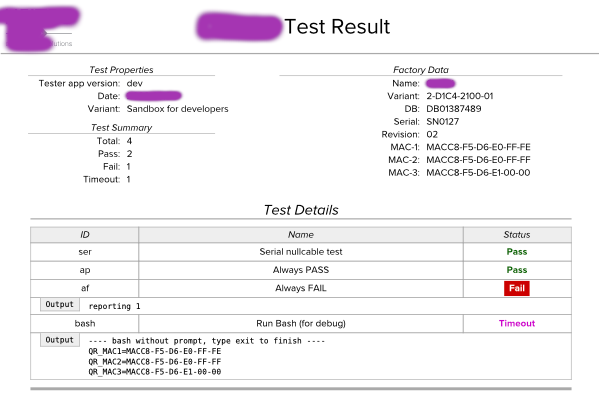
I've designed the testing system to be fully automated: a technician plugs in a USB drive, boots a live Linux system from it, the tests run, and the results are displayed as a QR code. I originally wanted to send the results over the network, but I was convinced to use QR codes instead: every new device would have needed to be registered on the company network, which would have prevented fully automated testing, and there was also the possibility that network devices themself was faulty.
I wrote the system in Python, the scripts for testing different devices in Bash. A test suite is a list of these modules parameterized. The test framework is capable of rebooting as part of a test. In addition to testing, the suite collects the MAC addresses of the interfaces and also embeds this information in the QR code. If there is no error, the test result fits in one QR code, if the log is longer, multiple QR codes are displayed.
The test system includes an external program that reads the QR code, uploads the results to an SQL database, and creates a PDF with the results, which the technician prints and signs.
Payment Kiosk Implementation (2013)
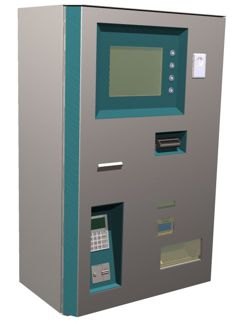
The company I worked for installed parking and access control systems for hotels, hospitals and other institutions. For this purpose, we created a payment terminal from the scratch, for which I wrote the software.
The core of the machine is a computer running GNU/Linux, to which the following devices are connected: a bank card reader, a banknote acceptor which can store up to 80 notes, a coin acceptor and dispenser, a ticket printer, a barcode reader, a Dallas key reader, a microcontroller for button handling, and a VGA display.
The program itself is a large Event-Driven Finite State Machine that receives events from the devices, e.g., "1000 HUF note inserted," and sends commands to them, e.g., "dispense 250 HUF coin." Each device has its handler module, which interfaces between the EDFSM and the device. The GUI is also controlled by the state machine, which instructs it to switch screen. The main variables are stored in property objects, which are automatically saved to disk and reloaded from there after a restart. Moreover, if they are displayed on the GUI, their values are automatically updated. Relying on these mechanisms, the business logic is implemented exclusively using the state machine.
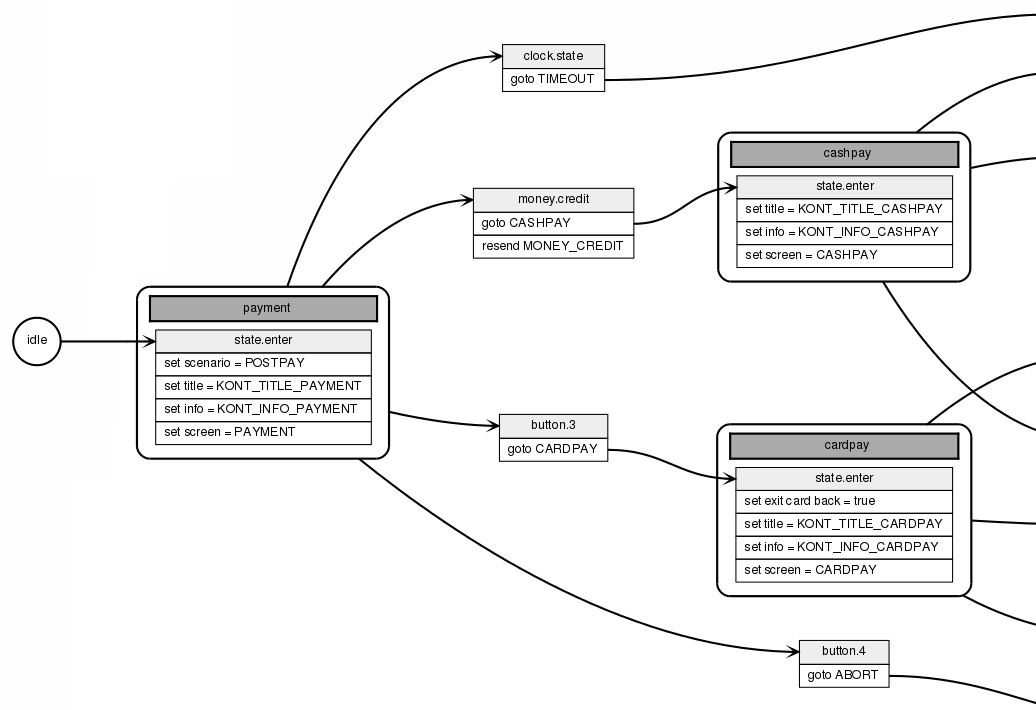
The logic of the program was starting to become large-scale, so I created a utility that generates a graph from the actual C++ source code of the state machine. This documents the system in a way that is understandable even for non-programmers. The program logs events, state changes and property changes, making it possible to verify or trace its operation.
The GUI concept was taken from the Nokia Communicator: four buttons on the right side of the screen with consistent functions, e.g., the top one is always language change, or bottom one is usually "back". The webapp only uses the DomAssistant JS framework (ca. jQuery functionality). It continuously connects to the server via long poll, so it immediately reacts to State Machine changes. The browser is the minimal WebKit-based Surf. I had to tweak this: it has no full screen mode.
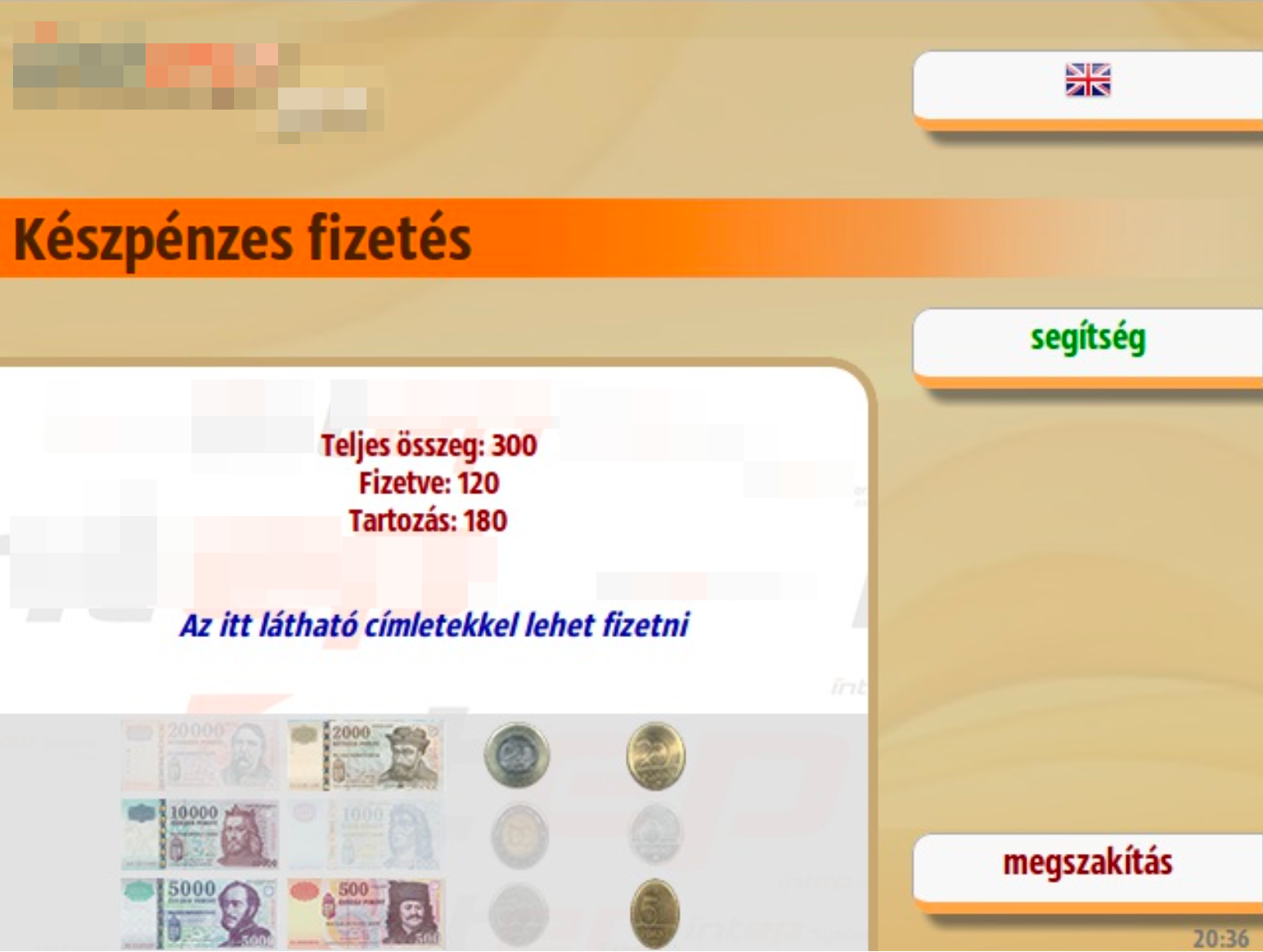
Since the GUI is web-based, creating a custom skin is very simple: you need to copy the web design elements into another directory, modify them, and change the web directory location in the configuration.
Most device protocols are simple and logical; for example, you can instruct the cash dispenser to return as few coins as possible or to perform it as quickly as possible. For the bank card terminal they provided a library, but only for Windows. Therefore, I needed reverse-engineered its protocol, and I can confidently claim that it is the world's worst protocol. A simple request-reply exchange involves 2x5 message transfers, and at the most critical point - during the payment - the master-slave roles are reversed temporarily.
This project was inspired by my lecture tutorial on Event Driven State Machine, which is available on GitHub.
Plannr - Collaborative Spreadsheet (2011)
My friend FNS was a contractor at a large FMCG company. Neither their ERP system, nor external programs properly support demand planning in a way that is suitable for the company's needs, so FNS first created a simple, then increasingly complex Excel spreadsheet for the purpose. The spreadsheet eventually grew so large that the formulas became too slow to calculate. To work around this, FNS added a VisualBasic script, it inserts formulas only when needed, calculates them, and then replaces them with static values. Otherwise, Excel wouldn't be able to handle the amount of the calculations.
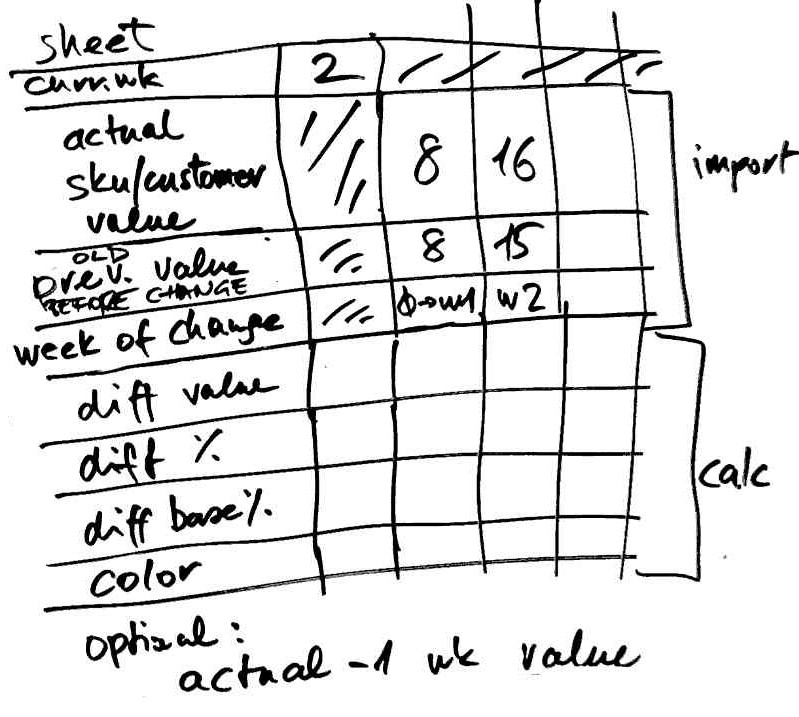
One of the biggest problems, which even the VisualBasic program did not handle perfectly, was caused by the use of different time units across various departments: management calculates in months, commerce and marketing in weeks, and production in decades (10-day periods).
After receiving the opportunity to create a prototype, we began designing. After some research, we found that the spreadsheet-like data model was the most suitable for the task. Other Demand Planning programs also followed this concept, and after all, this was not the problem with the VisualBasic application of FNS.
To avoid issues with data quantity or processing complexity, we chose an open architecture: we store data in MySQL table, the processing is done by a PHP-CLI program, but - following the conventions - data can even be inserted from external sources, which the processing program automatically picks up. This mechanism also makes possible that multiple web clients can work with the table simultaneously, other words, the program is a collaborative speradsheet application. Changes to the data are immediately appeared on the UI, thanks to that the web clients are using long poll.
The system must be configured for a functioning spreadsheet: some rows need to be added, and each row must be assigned a component, which then needs to be parameterized. Every cell in the row works the same way. We also imported base data from the company's ERP system and other sources.
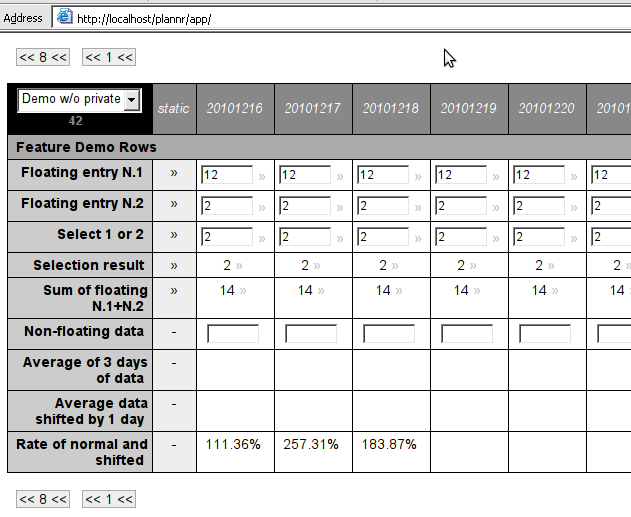
The columns represent days. Data is stored in daily resulution and calculations are also performed on a daily basis. The user can choose between views: day, week, decade, and month. In the day view, the exact data is visible. In aggregated views, depending on the component type, average, sum, minimum or maximum are shown in the cell, but there are also components that only display value, if all the aggregated cells have the same value, as this is the only meaningful way to present it. For example, production data must be summarized, daily temperatures need to be averaged, and a price may only be shown if it had the same value throughout the covered period. Similar rules apply to data entry: in the aggregated view, either all covered cells gets the same value, or the entered value is divided equally among the days. Some input components behave in such a way that the entered value is valid for that day and all subsequent days.
FNS wrote the statistical components and then assembled the demand planning spreadsheet, while I wrote the framework and the GUI. An unexpected problem was that browsers are unable to display the high number of input fields needed for a table - these must be handled dynamically, the input field should only be displayed when the user clicks on the cell to enter data. The most difficult problem was handling the dependencies of the infinite timeline.
Modular Document Creator System (2012)
At the company I was worked, we manufactured Serial-Ethernet interface with interchangeable RS232 and RS485 shields. I was tasked with creating the manual, the datasheet and the brochure. Given the significant overlap between document types and the minor differences between product versions, creating and managing separate documents for each would have been impractical.
The document management system I designed is built around a modular block structure. Each block has multiple revisions and various language versions. A document is essentially an ordered collection of these blocks, and a single block can be reused across multiple documents.
Blocks may contain placeholder variables, with values assigned at the document definition level. When a document is requested, the system retrieves the requested revision and language version of each block, substitutes the variable values, and assembles the content into a PDF.
This approach ensures that any text segment is written and translated just once, significantly reducing the time and effort required to produce finalized documents.
DVB SI inserter, EPG server
The company approached us, which had been selling devices and providing support services for cable television providers. For the DVB set-top boxes to work, the SI tables had to be sent from the headend. Conax had a system suitable for this, but it was too expensive and over-featured, so we thought we could write this program ourselves.
My system administrator collected all the documentation on the DVB standard, and for days we just read through it. For flexibility, the program did not assemble the binary data to be played out by itself, instead, I created an XML language, in which we described the byte and bitfield values, placeholder for the current date and CRC, etc.
I created a web interface where parameters could be entered, e.g., channel name, PID, etc., which generates the XML files for the SI player.
Later, we expanded the system with EPG playout, which loads the data from a database. Typically, at midnight, the EPG switches to a new program guide while still playing the old one, this is a memory-intensive and slow process. For my program, which is written in C++, it takes 20 minutes; we learned from others that for the Conax system, which is Java-based, it takes hours.
It fills me with pride that we were suspected of having stolen the Conax system.
Dataflow System (2010), Editor POC (2016)
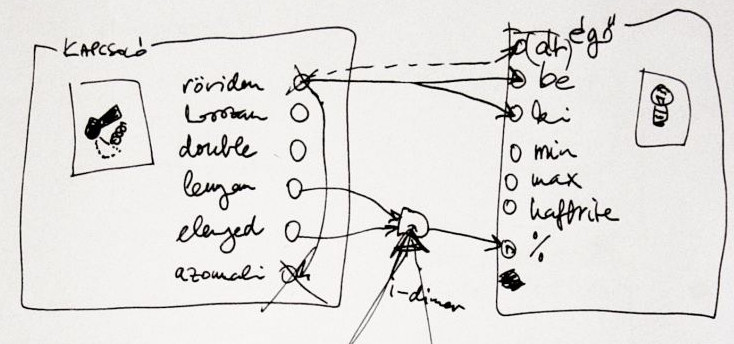
My friend, FNS, and I decided to create a home automation system. For months, we were just making plans and concepts on paper, gathered requirements and features. We figured we'd write it in C++ without any external libraries so it could run on a minimal ARM Linux configuration (there was no Raspberry Pi back then). We thought about giving wrappers to sensors and actors, e.g., long press for a switch, timed shutdown for a lamp.
One thing held us up for a long time: we had to find a model where we could implement even the most impossible user wishes, e.g., if the garden party mode is active, the automatic watering sytem shouldn't start. No matter what complex configuration scheme we came up with (sensor-actor matrix, rule engine, etc.), we could always think of a user need that couldn't be implemented with it.
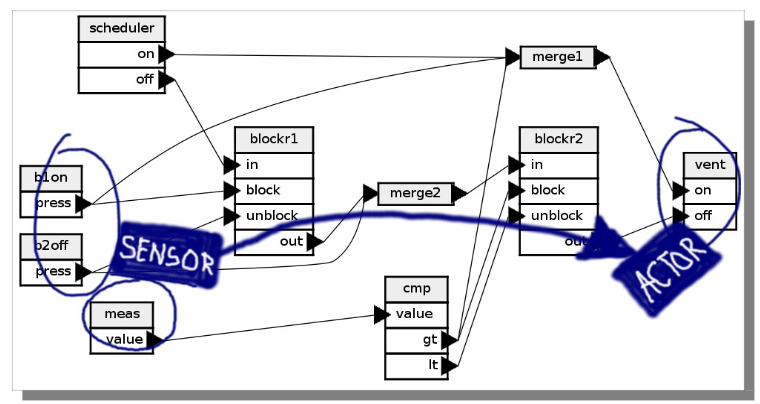
As I sat in my room, I was staring at my Roland JV2080. This synth module has a fixed effects configuration. With the Alesis QS series, you can choose from three effect configurations, while the Nord Modular has an editor where you can freely configure not only the effects but also the sound generation, you can freely draw a graph of oscillators, filters, LFOs etc. That's exactly we need!
We discovered Dataflow Programming and became quickly obsessed.
Dataflow programming is a type of end-user programming or end-user development, where the final application is assembled by the user, usually via a visual editor, by placing components, parameterizing them, and connecting them.
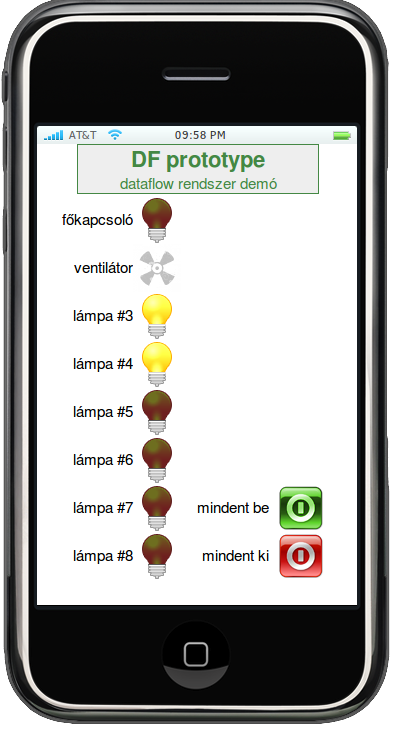
I wrote the server, created a very simple descriptive language, and wrote a transpiler for it that compiles to C++. I implemented the composite component in the server, then moved it to the transpiler. I wrote the generic components, like traffic and transport, while FNS developed drivers for several home automation devices. We got very excited, in a short time we had 80 components.
The application that implements the logic defined in the dataflow graph is a single Linux executable that doesn't require any libraries. The ARM version also ran on Palm Pré and Android phones.
We have created a mobile-first web-based GUI, widgets can be placed on pages. Each widget has a server-side counterpart that sends UI events as messages to other components and displays incoming messages on the UI.
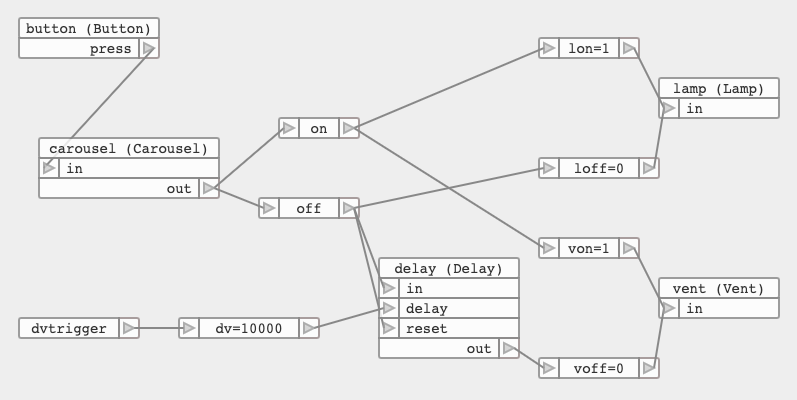
We prepared a presentation for the Budapest New Tech meetup, thanks to the TCP components we ran a dataflow application split on two machines, wich had different architectures (ARM and x86).
I've created an educational keynote that introduces the basics of dataflow programming, which I have presented in several places.
For the prototype system, we've only made a graph visualizer using GraphViz. Later I also made a visual editor concept using Raphaël.js, which is open source.
The dataflow editor concept is available on GitHub, you can even try it. My educational presentation can be viewed on my YouTube channel (Hungarian).
Google Rank Monitor (2007)
In addition to programming the full touristic portal, both frontend and backend, I also integrated the SEO practices my project manager recommended. This involved creating a descriptive URLs, establishing strong internal linking, monitoring and removing broken links, among other improvements. Over time, my PM would stop by my desk more and more frequently, excited to point out: "Look! We're ranking first in Google for this keyword too!"

Back then, Google Search had a Java API, allowing 1,000 free searches per day. Based on this, I designed and programmed the Google Rank Monitor tool. I gathered the settlements and tourism products (e.g. "hotel", "pizza"), compiling them into a list where they appear both individually and paired together, totaling ca. 10,000 items. We have also collected a list of competitor sites.
The program performed Google searches via the API, 1000 per day with the items on the list. The results could be viewed on a dual-panel web interface. The program listed the keywords and displayed the situation along with its associated score. The highest score was assigned to the situation where the site being examined was first in the search results list and had no competitors within the top 10. The second highest was when it was 2nd or lower position, but without any rivals, and so on. The average score indicated what the typical situation was for all the keywords. The results could also be examined from the perspective of a selected competitor, and narrowed down to a subset of keywords. With the help of the two-panel UI, different filters could be applied for side by side comparison.
The program was useful not only for us to identify our weaknesses and get information about our competitors, but also to justify our SEO efforts to management, backed up by numbers.
MS-DOS Transfer PC (1994)
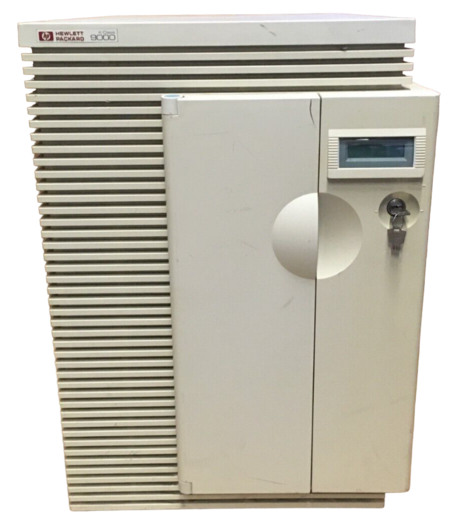
The company where I worked purchased a warehouse management system whose software ran on an HP PA-RISC 9000 machine. We liked it so much that we bought another machine and migrated our proprietary ERP system written in MUMPS from PDP-11 to it, also we changed DSM (Digital Standard MUMPS) to MSM (Micronetics Standard MUMPS).
I specified the file-based transfer protocol between the two systems and also implemented the MUMPS side. Background processes handled the data uploaded via FTP from the other system. Two files were always transmitted: the first contained the data, and the second served only as a semaphore - if the semaphore file appeared, it guaranteed that the first file had fully arrived.
We also had a few PC-based dBase/FoxPro programs, but even though we used a shared database via a Novell Netware network, we couldn't run background tasks on the single-user, single-task PCs to exchange data with the ERP running on Unix and MUMPS.
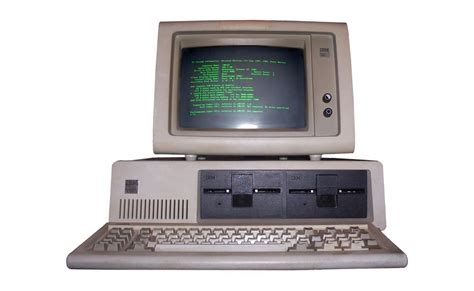
At that point, I came up with a plan, which I then implemented: we took an unused PC, and I wrote a program for it that logs into the Unix machine via FTP, sends and receives file pairs, similar to how data transfer happens between the two Unix machines. The program calls the appropriate FoxPro program for each received transfer packet, and occasionally invokes a FoxPro program, which, if some transfer data is available on the Netware side, prepares the transfer packet and uploads the files with FTP.
I wrote the program in Assembly in order to leave as much memory as possible for FoxPro from the conventional 640K. We placed the old PC in the corner of the machine room, where it quietly did its job.
Share Register and Voting System (1991)
The company where I worked went public. Two weeks before the shareholders' meeting, the corporate lawyer showed up at the IT department, in a complete panic: the speed and scale of changes to the Share Register exceeded the capabilities of her little notebook, and for the upcoming shareholders' meeting, the list of owners had to be precisely clarified. We peeked into her notebook: crossed-out lines, tiny scribbles between the rows, the whole thing was very unprofessional.
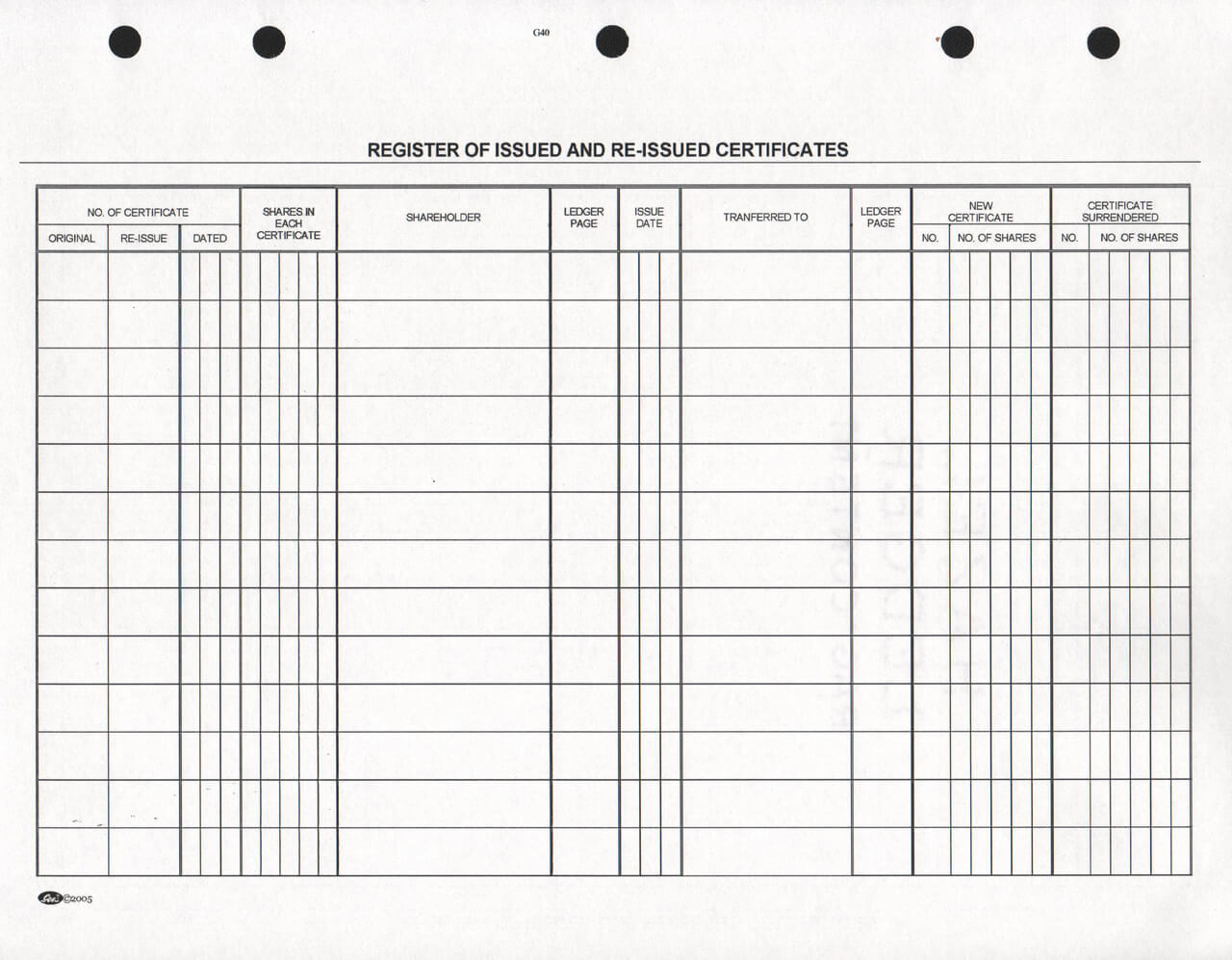
We, my colleague Ati and I, have assigned to the task. We designed the program that very day: the requirements, the processes, the database, the screens. We designed the voting technique: each voter receives small cards with their ID printed on it, then during voting, we collect them into a "yes" and a "no" hat, quickly enter them into the computer, print the result immediately, and hand it over to the ceremony master. We had only one problem: the Shares table itself, which contains the serial number and owner ID, no matter how small the record size is, required about 2 Gbyte. The largest hard drive at that time was 250 Mbyte. It seemed impossible to handle such a large amount of data.
Two minutes later, I came up with my idea, and within five more minutes, I managed to convince all my colleagues. There I became a national hero.
I suggested to create an engine that combines adjacent share blocks with the same ownership into a single record. For example, if block 1-100 belongs to owner A, and owner B purchases shares 21-30 from A, then three new records are created: A 1-20, B 21-30, A 31-100. If, during changes, blocks with the same owner end up next to each other, they get merged avoid getting fragmented. This way, the number of records will only be as many as there are blocks.

I quickly wrote the stub and handed it over to Ati, who produced the remaining parts of the program at a dizzying pace - recording Stock Exchange and broker certifications, visitor registrations, handling the voting session - just churning out forms, but he got everything done within two weeks. Meanwhile, in a day or two, I completed the engine, then spent the rest of the time writing a huge number of tests for it, finding and validating all possible cases, from causing chain reaction to covering more blocks with a new one and so on. I tested a lot, because I knew we couldn't afford to make mistakes now.
At the general meeting, we sat next to the ceremony master so we could intervene if something went wrong with the program, but there were no hiccups.
Looking back, I'd say my invention didn't deserve the Nobel Prize, but it's also true that the situation couldn't have been solved with simple "CRUD thinking". It was good to experience how powerful a team we are with the otherwise completely differently oriented Ati. But the most incredible thing is that we were able to put together a stable system in two weeks, despite the domain being unfamiliar and a unexpected technical issue also arising.
Embedded and low-level
RGB LED Clock Installation (2019)
WS2812b RGB LEDs have always been my favorites. When I saw the 12-LED and 24-LED ring versions, I immediately knew I was going to make a clock out of them. The program just have to light up the LED corresponding to the actual hour and minute, right?
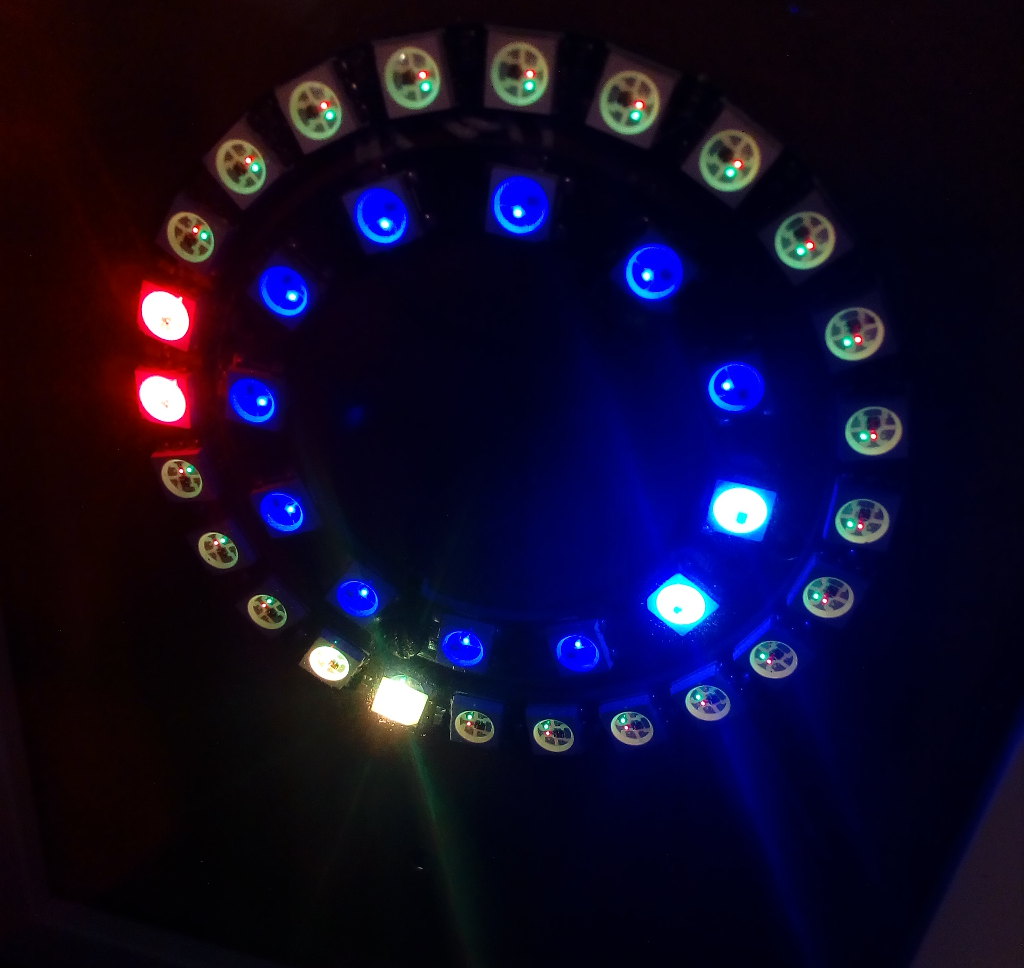
For the implementation, I chose vanilla Arduino Nano microcontroller. For the development, I used my own Posixino framework, which allows Arduino sketches to be compiled for Linux/Mac executables. The framework already included simulation for timer interrupts, digital inputs (for buttons) etc., and for this project I also implemented WS2812b simulation, using SDL2. With its help, I was able to see on a desktop computer how the result would look, without having to constantly upload the firmware to the board.

It quickly became clear that to indicate the exact positions of the clock hands, two LEDs had to be lit simultaneously. The most difficult task was correctly combining the hue and brightness values at the intersection of minutes and seconds on the outer ring. Fortunately, this can be done for the red and yellow colors in the RGB color space.
The source code of the program is available on GitHub. I also have a presentation about WS2812b LEDs, which can be viewed on YouTube (in Hungarian).
Re-implementation of Embedded Frameworks for Desktop Target: Makingthings (2012) and Arduino (2015)
Embedded development is uncomfortable. It's true that you can log to a serial console and use debugger, but the edit-compile-upload-execute loop is very long, and testing is also a pain.
Where I worked, we often chose the Make Controller platform for a our projects. This is an open source network-enabled microcontroller platform, based on the Atmel 32-bit SAM7X, sponsored by MakingThings. It comes with a framework which consist of FreeRTOS and LWIP adopted to the platform.
I try to design the system so that the program on the embedded device is as simple as possible, but there are exceptions: web server, complex protocols, or no host available to offload the embedded system.
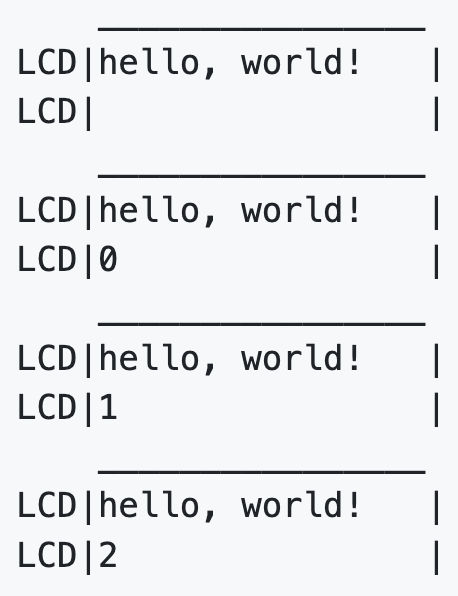
I re-implemented almost all functions of the Makingthings framework: task management, TCP/IP server and client, serial port handling, so the program I wrote for the board also worked on Linux, which accelerated and made development more comfortable. (This project of mine is not open-source.)
Some years later, the popularity of Arduino exploded. I often chose this framework for my hobby projects (with Platformio), for various hardware patforms, from ATTiny85 to ESP32.
I have also re-implemented the Arduino framework and some popular library functions for desktop computers under the name Posixino: Serial, Digital Out, WebClient, WebServer, LiquidCrystal, and Adafruit NeoPixel (WS2812b). Even if not with perfect timing, the timer interrupt also works on the programs compiled to the desktop platform.
The Posixino framework is open-source, available on GitHub.
LED Wall Firmware and Font, with Autokerning (2012)
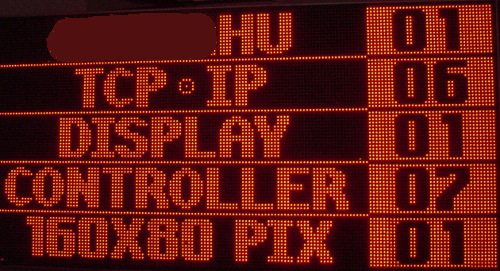
We created a remotely controlled large outdoor LED screen that clearly directs trucks to their correct spots by displaying five license plates and entry numbers, solving the client's on-site confusion.
Our hardware engineer assembled the wall using 32x16 LED modules, arranged in a 5x5 configuration, so the total resolution is 160x80 pixels. An Ethernet-equipped SAM9 board was used as the controller, and I wrote the firmware for the Makingthings platform (RTOS and LWIP). I wrote a minimal web server to serve the admin page and handle its API calls: print licence plate and spot number in the specified line.
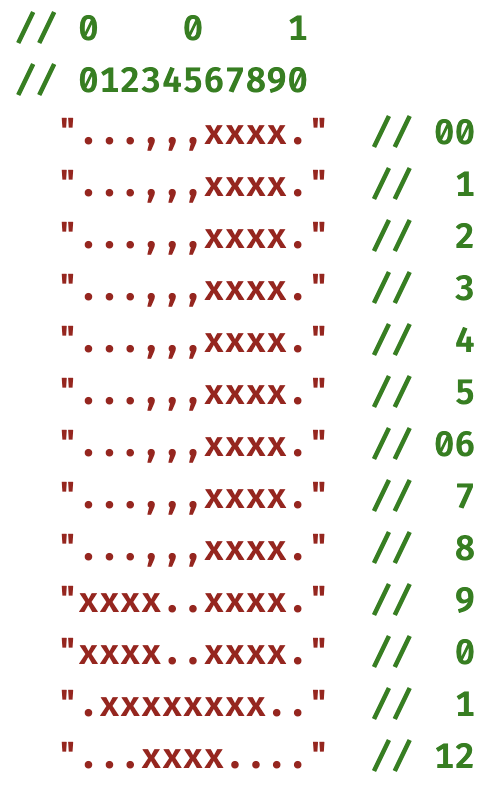
Contrary to our initial naive idea, the font size ended up being 11x13, which I drew myself. The font rendering implements auto-kerning: each glyph contains a ghost shape, they shouldn't overlap. The numbers are fixed width.
The program can be compiled for GNU/Linux, the LED display is simulated on a web interface. This was useful because the LED wall itself was only completed at the last moment, but I was able to develop the program beforehand.
RS232/RS485 LAN Interface (2012)
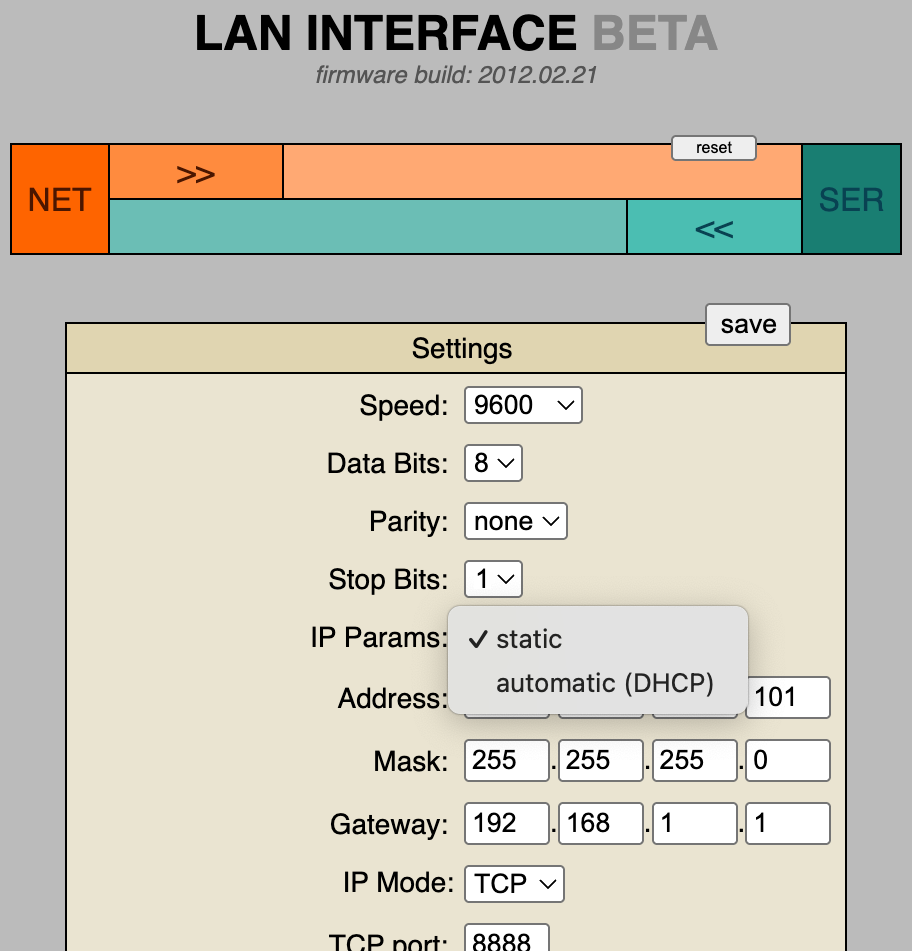
At the company where I worked, we often used Ethernet-serial interfaces. The third-party devices were not always reliable, and their prices were high, so we decided to manufacture our own device, with interchangeable RS232 and RS485 shields. I was the one who developed the firmware for it.
The core LAN interface logic is just 10 lines of code: whatever comes in on one side, we send out on the other. I wrote a minimal web server to serve the admin page and handle its API calls: loading and saving the configuration, and sending custom strings to either side. The admin page had to fit into the ROM, so it's a small webapp without any frameworks, with CSS and JS embedded.
For manufacturing, I wrote a script that generates the device's MAC address and set a NetBIOS name based on a Ukrainian name list - this was the first thing I found when I was looking for something fits as device names.
Utils, libs, education
RSV Viewer Utility Written in Rust (2024)
The world has long struggled to find the perfect text-based format for storing table-like data that is compact and easy to process - and to this day, it hasn't succeeded. XML and JSON are suitable for the task but weren't designed for it; CSV is almost good, but storing text is not easy (see: quotation marks), and even the separator isn't uniform. A symptom of the problem is that Excel has a CSV import wizard for this simple problem. (It's not the fault of the CSV format itself that Excel sometimes fails at this task: it imports numbers as text, which can cause quite a headache for inexperienced users.)
I was just learning Rust when I found the description of the RSV (Rows of String Values) format, and I really liked the idea: use well-chosen non-readable characters as separators, so you can easily store any UTF-8 text. Because readability is sacrificed, a viewer will be needed, which I immediately started working on.
Source code can be found in the repository, thanks to H2COO3 for review and refactor ideas.
KolorWheel Library, JavaScript (2015), Rust (2023)
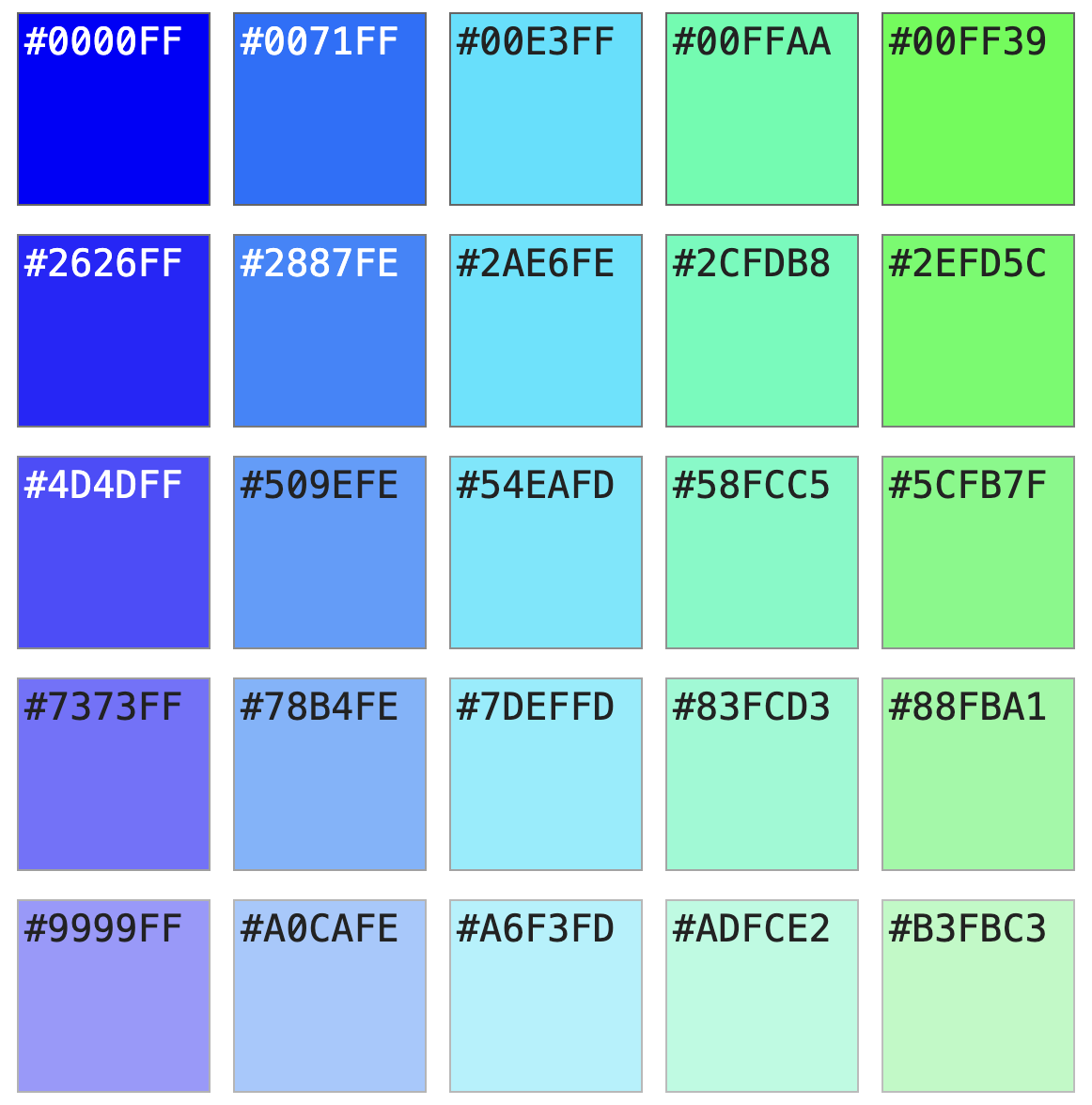
I worked for a small company as a webapp developer, where there was no dedicated graphic artist or designer. As a smaller project, I polished up the company website a bit, and to avoid suffering with color selection, I used online color wheel tools: selected the base color, set the complementary values on the color wheel, then copied the resulting color codes one by one. Since I am not an experienced designer, I repeated this several times, which I eventually got tired of.
Then I asked myself: am I a designer or a programmer? If I'm a programmer, then I can write a program for my problem. And I did just that.
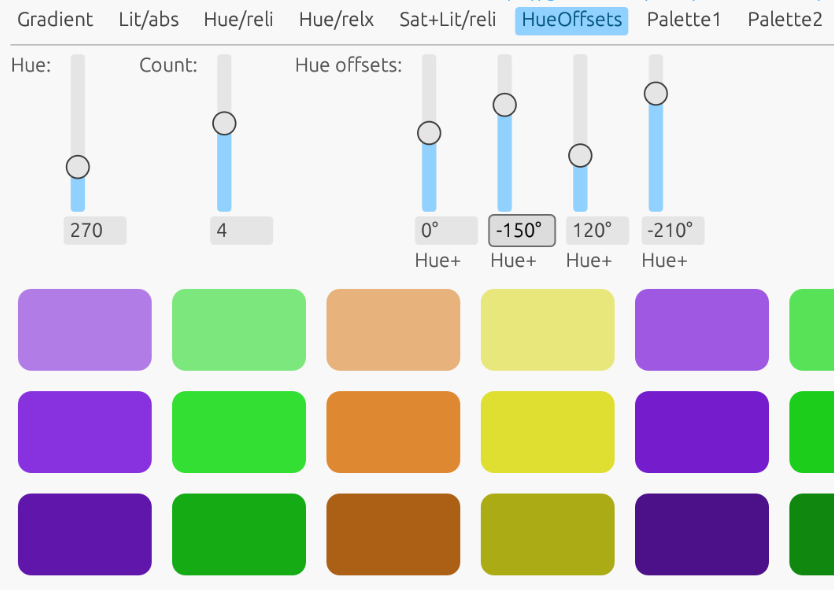
Kolorwheel.js essentially automates this process: it creates a palette based on a starting value and an HSL transformation. Additional elements can be created by cascading from individual palette elements, allowing us to create complex color schemes.
I have provided a comprehensive guide that begins with a brief overview of the HSL color model and progresses to practical code snippets. Readers can adjust the parameters in these examples to gain hands-on experience with the library's capabilities.
Some years later, while learning Rust, I discovered the immediate-mode GUI framework egui.rs and created a Rust version of Kolorwheel for it. I then built a demonstration application to showcase its features. Thanks to strict typing and enum feature, the Rust implementation is both cleaner and more rigorous than the JavaScript version.
Both projects are opensource:
Tutorial: How to Write a WASM Module in C/C++ (2022)
When I found out that major browsers got WASM support, allowing programs to be written in any native language, I got excited, and immediately wanted to try it out. For three days, I searched for how to compile a C program to WASM, but couldn't find anything, only for Rust.
I gave up the search and wrote a tutorial (for MacOS, GNU/Linux and MS-Windows) and a few simple examples myself, simple value passing, data buffer exchange and some image processing: an RGB-based color changer and a blur effect.
I had my fifteen minutes of fame - the repository made it to the second page of Hacker News, got 500+ stars, a few people sent pull requests, and about two dozen users forked it. But the greatest reward was in the comments: "This is exactly what I am looking for!".
Source code and the tutorial can be found in the repository, also you may check the image effects.
Shrinkshot: Naive Content-Aware Image Resizer (2019), Rust (2026)
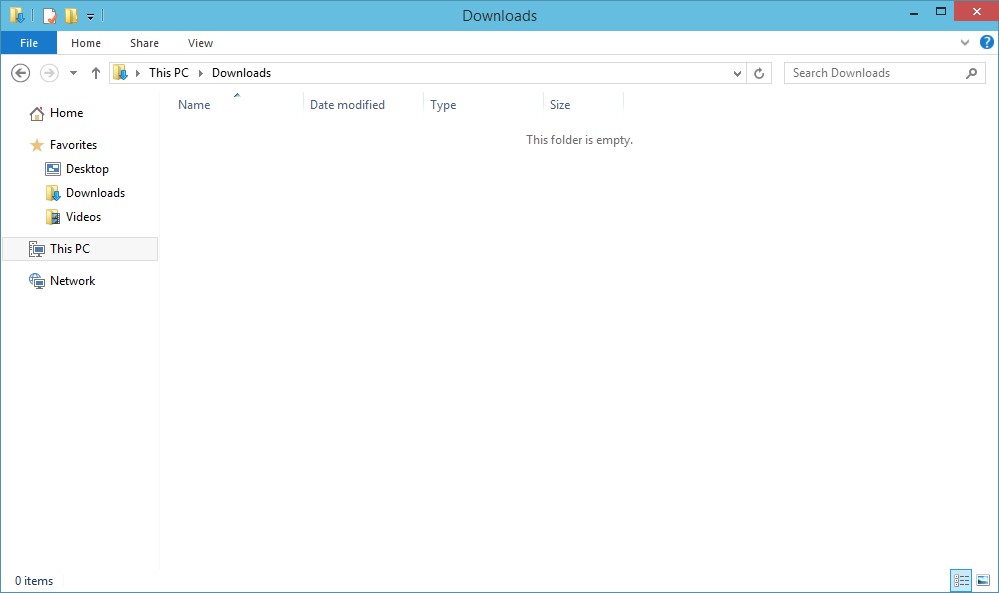
While writing some documentation, I noticed that the screenshots taken of browser or file manager windows contain too much empty area. When the image is scaled down to fit the page, the real content become smaller and harder to read.
After some investigation, I found a relevant discussion on StackExchange. The Question, titled "Sometimes I need a Lossless Screenshot Resizer", included a proper description with example screenshots. I concluded that removing adjacent, pixel-by-pixel matching columns and rows will work, it is essentially the same as the content-aware resize function known from modern image editors.
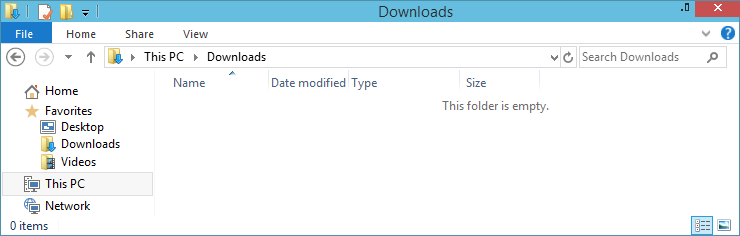
Since I needed native speed for processing large images, I decided to use C++, however, I did not want to write a complete image processing program in it. Fortunately, ImageMagick has a feature that deletes the rows and columns specified by the arguments, so the program only finds identical rows and columns and then calls ImageMagick to perform the actual task. For reading the images, I used the upng library.
While I was writing this summary, I realized that using an external program isn't very elegant, so I rewrote the whole thing in Rust. I included some features as well, some of which I had already planned earlier: ignore borders, scan directory for the newest file, keep very small regions.
I once got stuck, the output image was garbage, somewhere I messed up the pixel positions. After half hour of fruitless attempts, I threw the whole program into a web-based AI with "fix this" prompt. To my greatest surprise, it found the error: I had forgotten to add the row counter during column initialization.
Source code and some documentation is available on GitHub.
Haxe Transport Layer Flaw Fix (2017)
There were reliability issues with the project. A demo failed badly, and I was asked to establish some kind of quality assurance to prevent such things from happening again, as well as to provide professional supervision. Fortunately, there were no serious problems with the program itself, the colleagues were excellent, and the demo failure was caused by an automatic Windows setting and a glitch around a double login.
There was one more serious problem: the lack of tests.
I took on rewriting the authentication and authorization microservices and creating the service tests. The system consisted of NodeJS microservices, and the services communicated with Haxe objects. It's a lightweight language with interfaces to many platforms. I rewrote the two services in NodeJS and wrote the integration tests in Python, for which there was also a Haxe interface.
One test kept failing even though processing the same message in the live system worked perfectly fine. We found out that under certain conditions the Python tests were sending faulty Haxe objects: Haxe's technical "ID" property appeared in the payload and was causing issues.
After a day of searching around and not finding a satisfactory solution, I implemented the Haxe transport layer in Python, and from then on we had no more trouble with it.
Automatic XML Tree Visualizer (2009)
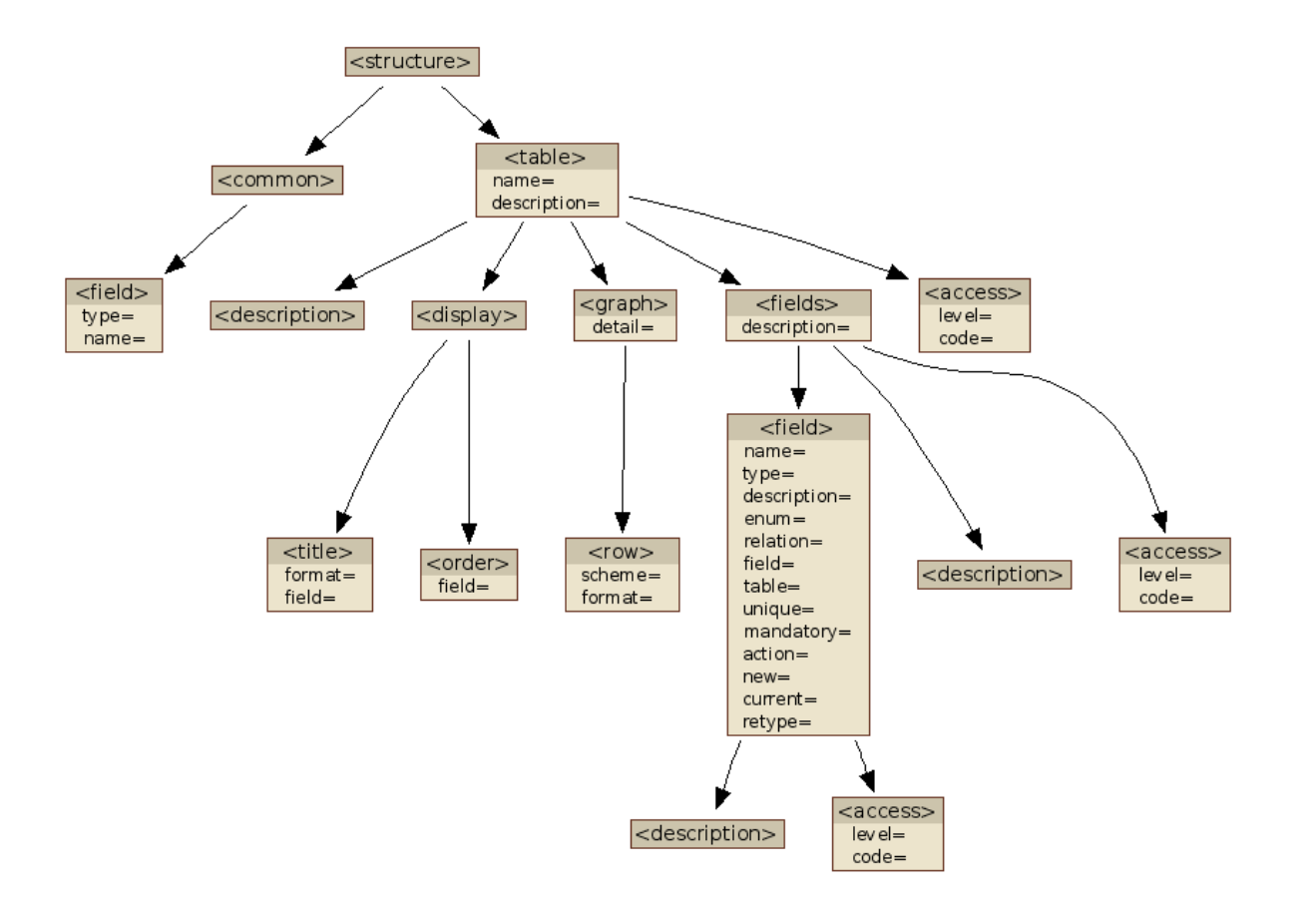
In a project, in addition to the programming, I also handled the documentation. Hierarchical data was stored in an XML file, and besides the textual descriptions, I wanted to create a nice diagram of the tree structure.
I started to create a diagram with GraphViz, but I decided I wouldn't create all the diagrams manually so I wrote this utility that creates them from the XML file automatically.
You can set parameters such as whether to show attributes or just tags, and you can also specify a threshold, when the number of possible values falls below it, the program renders them all.
Source code is available on GitHub.
Character UI Widgets for MUMPS (1995)
The company I worked for used an in-house developed ERP system written in MUMPS. The central computer was connected to serial terminals with 9600 baud, which we used in VT52 mode.
We controlled the terminals with VT52 commands, which were only capable of simple positioning and deletion. For input, we used the MUMPS plain READ instruction, which reads from the keyboard until the enter key is pressed.
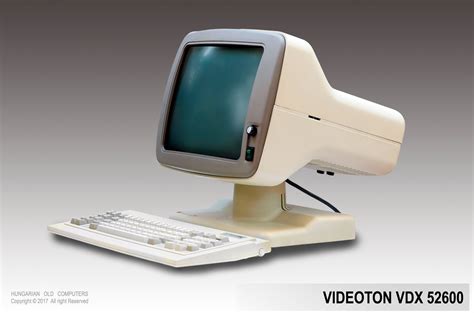
When my colleague Qko and I discovered that our terminals could be switched to VT100 (ANSI) mode, which supports features such as inverse, highlighted, etc. we started thinking about how we could take advantage of this and encourage other programmers to create nicer UIs.
Qko created the %INPUT widget, which could handle input masks, ESC key handling, and also tell which key was used to exit the field, thus allowing the creation of forms from multiple fields.
I created %SELECT1, for displaying list items, scroll within them, and perform search. The items could be specified in locals (memory arrays), which was practical for menus, or provided by callback, for browsing databases, so no memory used for storing items. The widget could also handle hotkeys, which enabled to connect multiple ones (e.g. copy items between lists), or display a popup confirmation dialog.
The most useful library program was written by Qko: %LIST. Before %LIST, the programs either displayed data on the screen during queries, which only allowed real-time forward paging, or printed the entire list to a local or central printer. %LIST stored the rows in a temporary database where you could search, print only specified pages, or save the file for later view. It was even capable of printing a full-width line composed of "-" characters on the central line printer; if sent as a single row, the simultaneous pulling of the hammers would trip the printer's fuse. When I first encountered this problem, we came up with the solution that Qko then integrated into his utility.
An unexpected obstacle arose in using our utility: the 16-deep stack was no longer sufficient for the subroutine calls. We asked our MUMPS vendor, Micronetics, to increase the stack size, which they did, and the 32-depth stack was enough for us.
As a side effect, VT100 mode slowly became the default and then the only mode on our ERP system, so when we started using PCs as terminals, it wasn't a problem to find a terminal emulator, they all supports VT100/ANSI.
Sizecoding and fun
Vibecoding Experiments (2025)
When Gaborca created the GURU diskmag for the Amiga in C, we constantly teased him for it. Our diskmag, Sledge Hammer, was written by ADT in assembly (M68000, 3000 lines), while I wrote the PC-DOS version in assembly as well (i8086, 6000 lines). The butt of our joke was that C isn’t real programming, since it isn’t the code the cumputer actually executes.
I also program in C and C++ now, and I must admit, the compiler often produces better code than I could on my own - though, of course, that also requires me to know (or at least have an idea of) what my code will compile to. The best compiler experience is offered by Rust: it enables comfortable and secure programming with little to no overhead, and the compiled code remains efficient while still being predictable.
When LLM code generators appeared, I was amazed. What these animals can do is simply black magic. So, I was curious about their limits - what they can and cannot be used for. My method is that I use a simple prompt, treating the LLM as a kind of compiler. I collected my experiences in this GitHub repository.
256-byte PC-DOS game: Flag Quiz (2025)
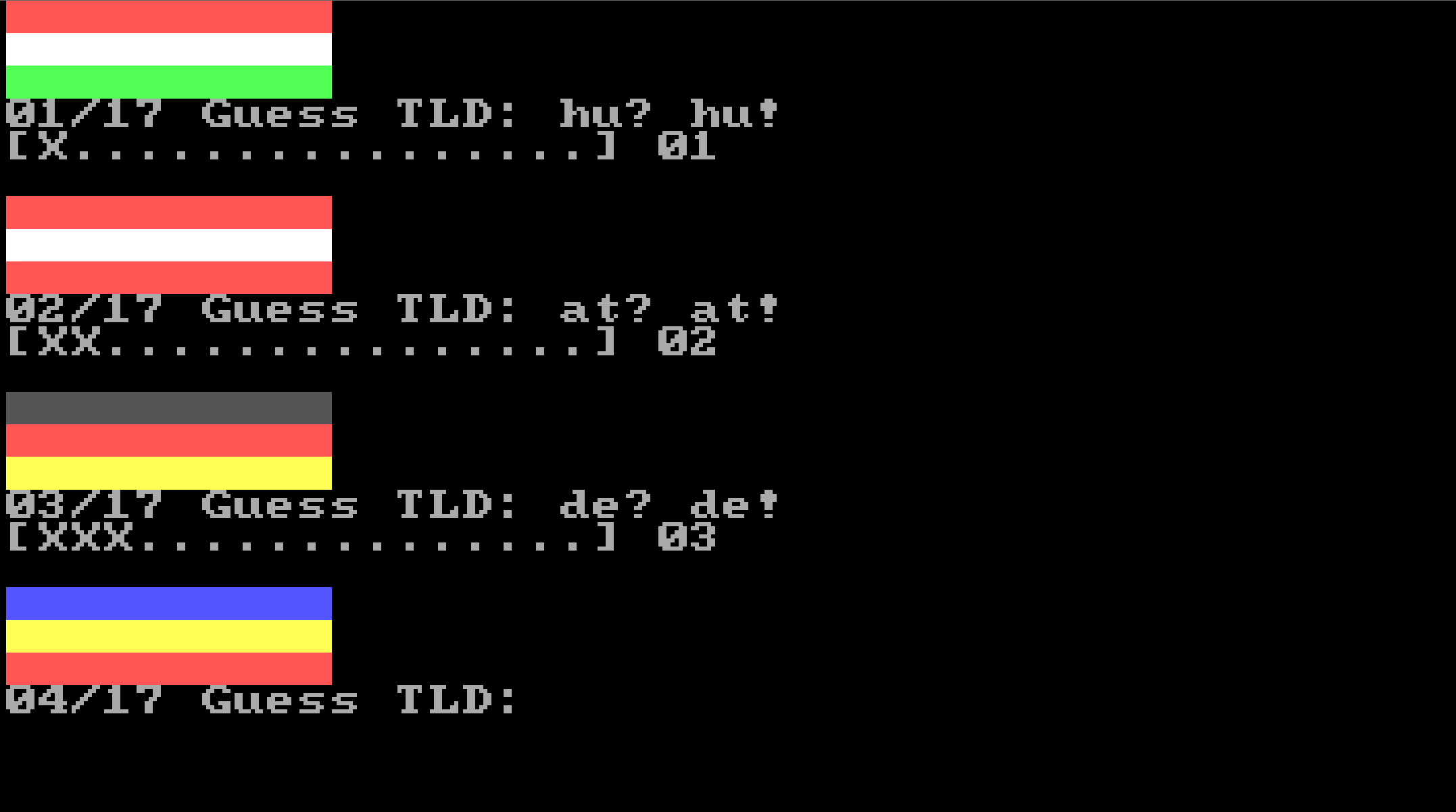
During a national holiday, a question came to my mind: how many countries have pure horizontal split tricolor flag, like Hungary? The answer is: surprisingly little. So, I created a 256-byte game in which you have to guess the TLDs of 17 flags.
The program is written in 8086 Assembly, clean code fashion, apart from a few tricks like half pointers and subroutine inlining (I wrote a separate utility for that purpose). Each item requires 2 bytes for the TLD and 3 x 3 = 9 bits for color data, 1 bit is shifdted into the TLD, so the total data is 3 x 17 = 51 bytes. For the letters, 2 x 5 bits would have been enough, making the data 41 bytes, but the 10 bytes gained would be not enough for the extra code required.
Source code and more technical details available on GitHub. Also you can play it in browser.
Skill game written in BASIC: Intervallo (2022)
I started programming in BASIC at age 13. Two years later, when I got my first computer, a Commodore 16, I wrote games for it, first in BASIC, between 1985 and 1987. It has been 35 years since my last Basic game.
First, I wrote a design document. I have written down the gameplay, game modes, and some implementation considerations, such as cross-platform capability.
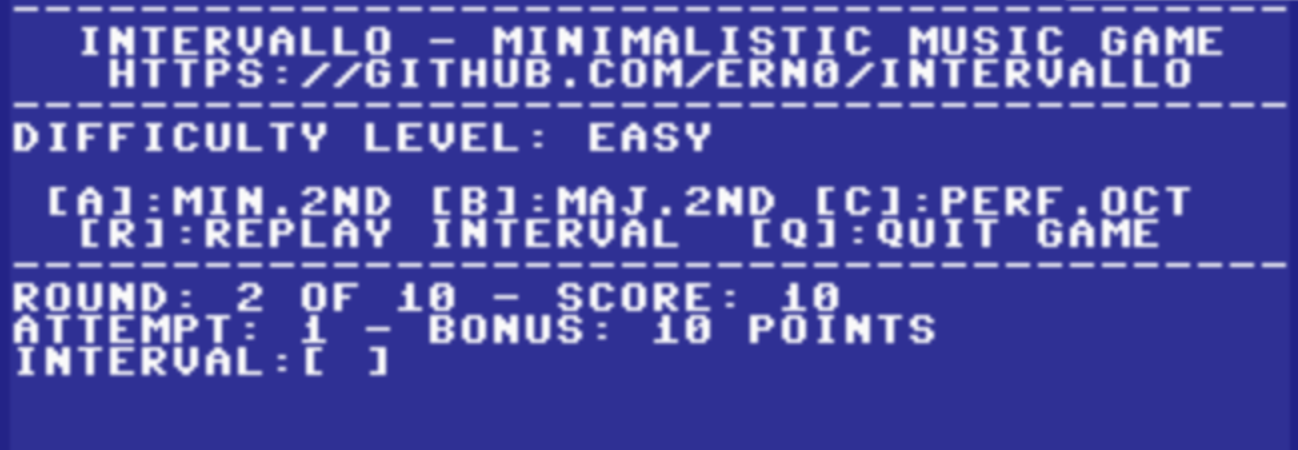
The core of the game was written in Commodore BASIC 2.0 to make porting to the C64 straightforward, with the Plus/4-specific parts kept in a separate file. I wrote a more visually appealing routine instead of using the INPUT statement, otherwise, I used only standard BASIC instructions.
I decided against on-board or emulator-based development due to its inconvenience and lack of Git integration. As a result, I had to write a RENUMBER command that operates on text files.
I found an interesting conceptual bug: in FOR-NEXT statements, integer variables (e.g., I%) cannot be used as loop variables. What surprised me, however, is the conciseness of the BASIC language: the entire game is just 266 LOC.
Source code and documentation available on GitHub, also you can play online on Plus/4 World.
256-byte PC-DOS Intro: 549 Notes (2019)
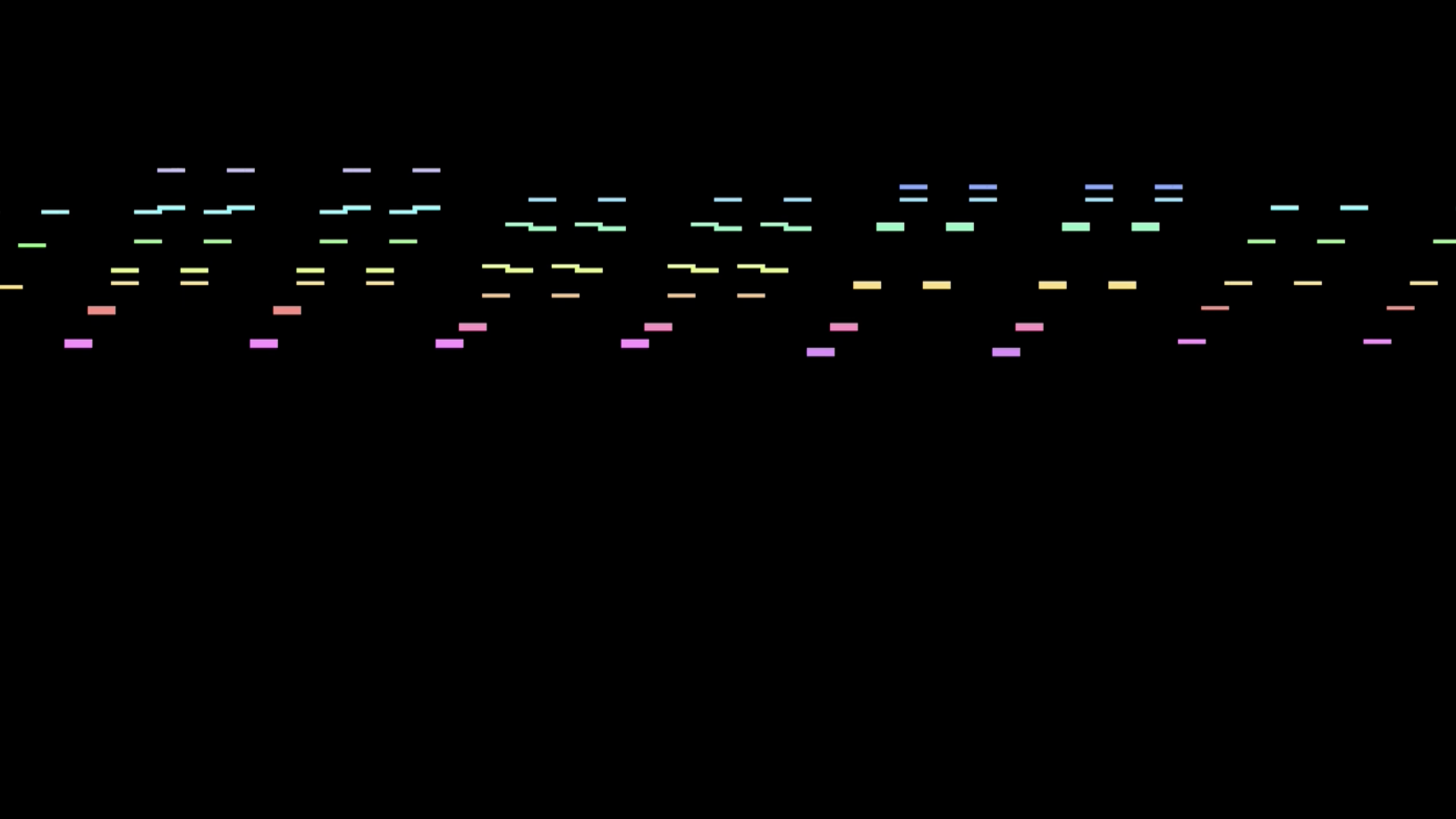
Lately it's become trendy to put music into 256-byte intros: buzzer, bytebeat, or MIDI. I've made music for TomCat intros multiple times already, and once he came up with the idea that what if the music was the essence of the intro. Rather than composing original music, I opted to arrange a popular J.S. Bach piece, which consists of 549 notes. Even though it contains repetitions on two levels (as you see, I've selected the piece carefully), it's still a great challenge to squeeze it into 256 bytes.
I wrote the compressor-data generator in Python, the player prototype in Assembly, which TomCat then optimized to the extreme and even added some visualization. The essence of the compression is that we don't store the MIDI notes, but the diff compared to the previous line. The distribution of diff values has a long tail. Therefore, frequent values are stored using 3 bits, while sparse values are stored using a 3 bit token followed by a 7 bit value. The compression parameters (frequent word size, use of table, diff distance, etc.) have a total of 288 possible variations. I calculated the data size for each variation, and thus selected the best one.
The source code of the program is available on GitHub. We’ve also created a presentation (PDF) that explains the compression, the optimization and all the details. If you don’t have a machine with soundcard running MS-DOS, the final result can be viewed on TomCat's YouTube channel.
256-byte PC-DOS Intro: Maze Solver (2017)
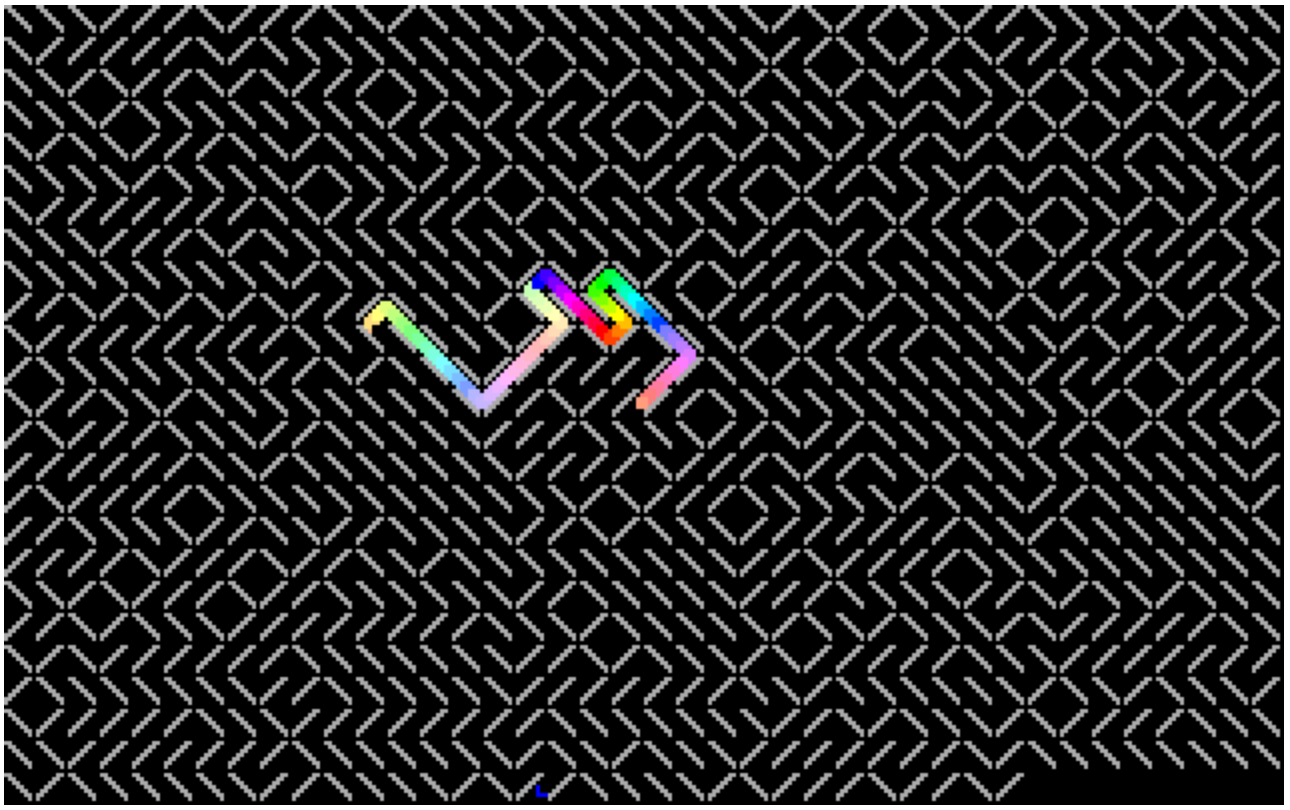
This intro was inspired by "Maze Generation In Thirteen Bytes", a challenge where participants create increasingly shorter programs to draw mazes. The idea is simple: random alternation of the "/" (slash) and "\" (backslash) characters produces a maze. Drawing the labyrinth can be solved in about 15 bytes, leaving enough space for additional features.
I wrote the routine that tries to lead a point out of the maze, it didn't look good. I rewrote it for handling multiple points, didn't like that either, the small points got lost in the big maze. I returned to the single point version, but instead of deleting the previous position, the program stores them in a 256-byte ring buffer, and deletes the last element, so a 256 pixel long snake searches for the exit. Later, I realized that checking the wall behind the dot became unnecessary when switching to the snake, but I didn't want to touch the program because it serves as the maze data and, by chance, it results a nice long path - I didn't want to ruin that. It fits in 256 byte anyway.
You can launch it in browser emulator. Source code and background information available on GitHub.